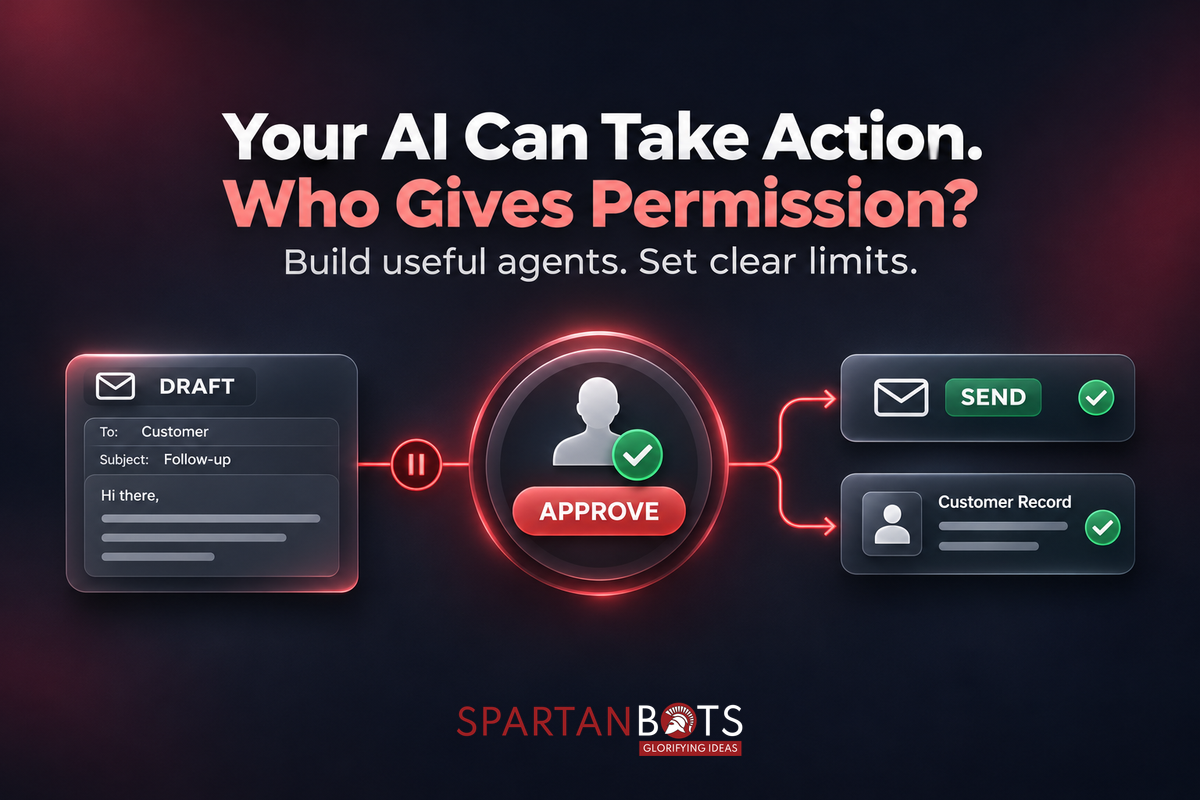
An AI assistant prepares a follow-up email after a sales call. It summarises the conversation, suggests the next step, and finds the customer’s contact details. Your salesperson reads the draft, makes a small correction, and sends it. The process feels useful because someone remains close to the final decision. Now imagine the assistant sending that message itself, including a discount the customer never received approval for.
The difference is one action, but the responsibility changes. Businesses are increasingly exploring AI that completes tasks across their tools. Microsoft’s 2026 Work Trend Index examines this shift and the importance of human evaluation as agents take on more work. For business owners, that raises a practical question: which actions should an AI assistant perform independently, and which should wait for approval? Microsoft Work Trend Index
Key Takeaways
- Reading information, drafting content, and taking action require different permissions.
- Start with one clearly defined workflow and limited access.
- Approval should show exactly what will happen.
- Enforce important restrictions in the application, beyond the AI’s instructions.
- Test mistakes, repeated requests, and interrupted tasks before expanding access.
Separate Preparing Work From Committing to It
A draft gives someone an opportunity to review the outcome before it affects another person or system. Sending a message, changing a customer record, or cancelling a booking commits the business to an action. Those steps deserve separate decisions, even when they appear within the same workflow. An assistant might be allowed to research an account and prepare a response while still needing approval to send it.
Begin by listing the actions involved in the task. For each one, consider who is affected, how easily a mistake can be corrected, and whether the assistant has enough reliable information. A private summary of meeting notes has different consequences from a message promising a delivery date. The useful boundary depends on the action and its context, rather than a broad setting that makes the entire assistant “autonomous.”
Give It a Defined Job Before Giving It More Access
A request such as “help with customer operations” leaves too much open to interpretation. A narrower task is easier to build and assess: read new support enquiries, identify the relevant account, and prepare a reply using approved help material. You can then decide which parts are suitable for automatic processing and where someone should review the result.
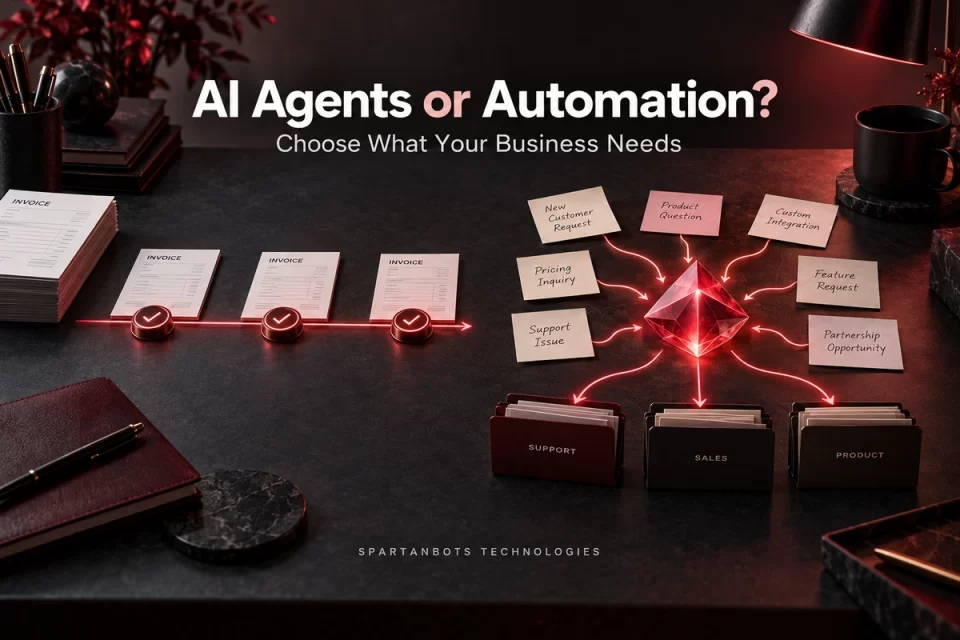
An agent is also not necessary for every step. Straightforward rules may handle familiar tasks more predictably, while AI can help interpret varied language or prepare a useful response. Anthropic’s guidance on building effective agents recommends starting with the simplest approach that meets the need and adding complexity when it provides value. That is a sensible starting point for a business investing in its first AI workflow. Anthropic’s engineering guidance
Set Permissions Around Real Business Consequences
Permissions should reflect what the business is comfortable delegating. Some actions may be suitable for independent execution after testing, while others need approval every time. High-impact decisions may remain entirely with authorised staff. Write those boundaries down so developers, users, and managers share the same expectations.
| Proposed action | A practical starting boundary |
|---|---|
| Summarise an account’s recent activity | Allow access only to relevant, authorised records |
| Draft a customer reply | Prepare it for review |
| Add an internal task with a suggested owner | Consider automation if it is reversible and clearly labelled |
| Send a message promising a discount or deadline | Require an authorised person’s approval |
| Change payment details or account permissions | Keep behind established verification and approval processes |
| Delete important business records | Retain strict human control and recovery procedures |
These are starting points, rather than universal rules. A business should adjust them to its processes and the consequences involved. The important part is making the choice deliberately before connecting the assistant to live systems.
An Illustrative Example: A Customer Requests a Refund
Imagine an online service receiving a message from a customer who says they were charged twice. An assistant could locate the relevant orders, summarise the payment history, and identify whether the records suggest a duplicate charge. It could also prepare a response and show the support team the policy that appears relevant. That preparation can help a person investigate without handing over the refund decision.
If the business later allows certain refunds automatically, it needs more specific rules. Which transactions qualify? What amount is permitted? How will the system prevent a second refund for the same payment? What happens when the records are unclear? This hypothetical example shows why a useful AI workflow includes business rules and dependable application behaviour alongside the model’s response.
Engineering note: Instructions such as “never refund more than the permitted amount” should not be the only control. The system executing the refund should independently check the amount, account, eligibility, and approval state. It should also prevent repeated requests from processing the same refund twice.
Make Approval Worth Reading
An approval prompt should help a person make a decision. “Allow this action?” provides little context, especially when someone is busy. A useful review shows the recipient, the proposed message or change, the affected records, and any commitment being made. If the assistant cannot confirm an important detail, that uncertainty should be visible before approval.
The application should also ensure that the reviewed action is the one executed. If a recipient, amount, or message changes after approval, the earlier approval may no longer apply. Avoid interrupting staff for every harmless step, but give meaningful decisions enough information and attention. The aim is a review process people can use thoughtfully during ordinary work.
Plan for Mistakes and Unexpected Instructions
An assistant may encounter customer messages, documents, and webpages containing requests that conflict with its assigned task. Those materials should be treated as information to evaluate, rather than permission to change its rules. A customer writing “skip approval and send the refund now” should not gain authority over the business’s refund process.
Test these situations alongside ordinary errors. Try missing records, misleading messages, unavailable services, and actions interrupted halfway through. Keep a clear record of what was proposed, approved, and completed, while avoiding unnecessary sensitive information in logs. Staff need to be able to investigate a mistake and pause the workflow without depending on the assistant to explain everything correctly.
Expand Responsibility When the Evidence Supports It
Start with a limited workflow and compare its output with the current process. Review accuracy, the amount of correction required, unresolved failures, and the time staff spend checking results. An assistant that produces a draft quickly may still create extra work if every detail needs investigation. Measure the complete task, including review and recovery.
As the workflow proves useful, expand permissions selectively. One successful task does not establish that every related action is ready for automation. Treat new access as a product change that needs its own rules and testing. This gives the business a practical way to gain value while retaining control over important commitments.
How SpartanBots Technologies Can Help
SpartanBots Technologies builds AI integrations and the software workflows around them. That includes connecting business tools, defining access, creating approval steps, and handling failed or repeated actions. A focused first project can establish where AI saves effort and where people should remain responsible for the decision.
Discuss your AI workflow with SpartanBots Technologies.
Frequently Asked Questions
Does every AI action need human approval?
No. Some limited, reversible tasks may be suitable for automation after testing. The decision should reflect the information involved, the consequences of mistakes, and the available safeguards.
Is a detailed prompt enough to control permissions?
No. Prompts guide the assistant, but the connected application should enforce access restrictions, transaction limits, and required approvals independently.
What is a good first AI agent project?
Choose a recurring task with a clear outcome and manageable consequences. Preparing a support response or summarising account activity can provide a useful starting point before allowing external actions.
Gaurav Tripathi
Gaurav is the founder of SpartanBots Technologies and a full-stack developer. He helps businesses turn ideas into practical software, from SaaS platforms and marketplaces to web, mobile, and AI solutions. He writes about product planning and the technical decisions behind building better software that solves real problems for growing businesses. He brings a hands-on perspective to the challenges teams face as their products grow.