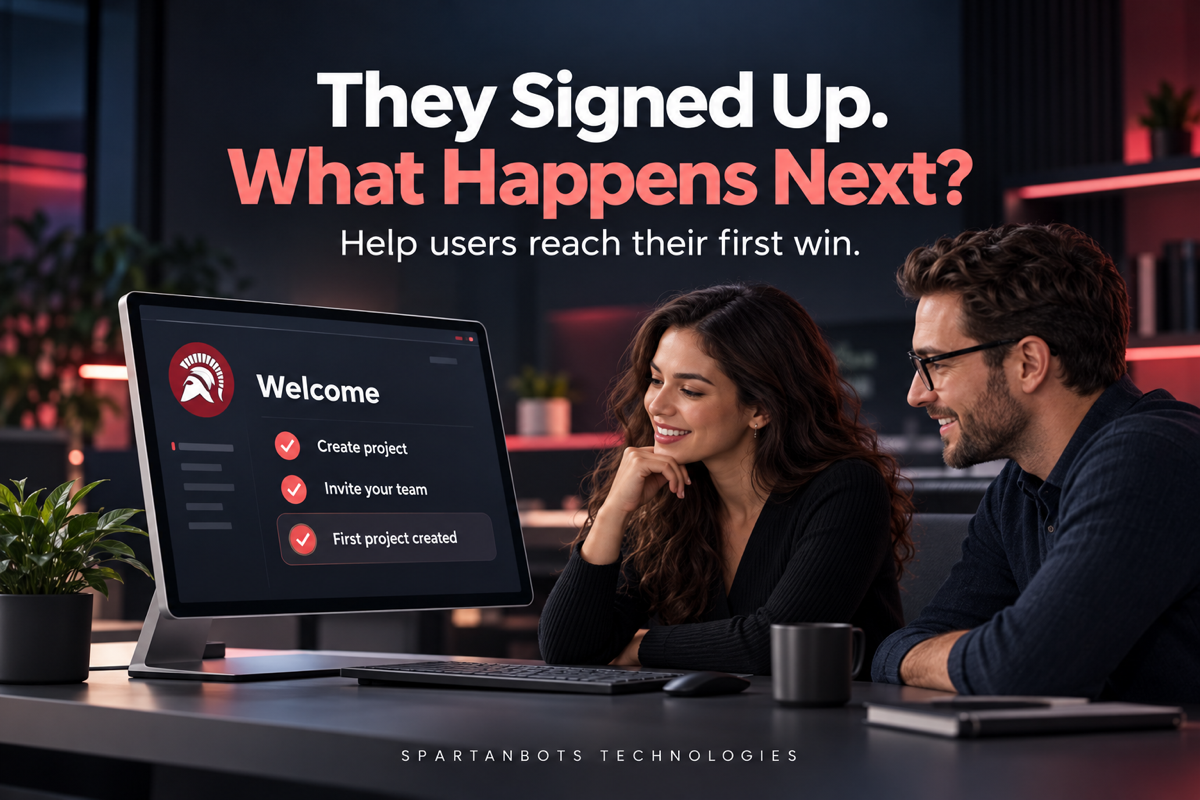
A business owner finds your SaaS product while looking for a better way to manage client work. Your website speaks to the problem, the pricing seems reasonable, and the trial takes only a moment to start. They create an account and arrive at the dashboard. There are several menus, an empty chart, and a message asking them to configure their workspace. They click around, decide to return when they have more time, and close the tab.
Your team sees another signup. The customer sees another tool they need to figure out. That gap is where onboarding deserves attention. Getting someone through registration is only the beginning. The next job is helping them experience a useful result, preferably before setup starts feeling like work.
Key Takeaways
- Define the first useful result your product should help someone achieve.
- Ask for information when it becomes necessary.
- Give empty screens a clear next step.
- Save progress so interruptions do not force users to start again.
- Measure completed tasks alongside registrations and tutorial activity.
Start With a Result People Care About
A product tour can introduce features without helping anyone accomplish something. New users may learn where the reporting menu lives, but still have no reason to open it. A more useful starting point is the outcome that brought them to your product. For an invoicing tool, that might be creating a first invoice. For a scheduling platform, it could be sharing a working booking link. The right milestone depends on the promise your product makes.
This first result should be achievable and meaningful. Completing a profile might be necessary, but it rarely explains why the product is worth using. Follow the journey from registration to the first task that helps someone do their work. Every step should support that task or meet a real requirement. If it does neither, consider whether it belongs later in the experience.
Let Setup Follow the Task
It is tempting to collect everything upfront. Company details, team size, preferences, integrations, and notification settings all seem useful to the business. For the person completing the form, they can become a long series of decisions before anything valuable happens. Review each field and ask why you need it at that moment. Some information may be essential for security or the task itself. Other details can wait.
A clearer flow introduces setup in context. Ask someone to connect their calendar when they create a booking page, then explain what access is needed and why. Ask for billing details when they choose a paid plan, unless your trial genuinely requires them earlier. Users should understand how the requested information helps them move forward. That connection makes setup feel purposeful instead of administrative.
| Common onboarding obstacle | A more helpful approach |
|---|---|
| Several settings screens before the first task | Collect the essentials, then introduce other settings later |
| An empty dashboard with no guidance | Explain what will appear and offer one clear action |
| A tour covering every feature | Guide users through a relevant task |
| Required integrations with unclear benefits | Explain why each connection is needed |
| Progress disappears after leaving | Save completed steps and provide a way to resume |
| Everyone receives the same instructions | Adapt guidance where different roles need different tasks |
Make Empty Screens Useful
An empty state is often the first version of your product that a customer sees. There are no projects, reports, or team activities yet. A message saying “No data found” describes the situation without helping anyone change it. Use that space to explain what belongs there and how to get started. “Create your first project to organise tasks and deadlines” gives the screen a purpose and the user a direction.
Sample data can help when the product’s value is difficult to understand without information. Make it clearly identifiable and easy to remove. A demonstration report can show what is possible, but it should never look like a real result from the customer’s account. Keep the next action visible and specific. New users should not have to search through navigation menus to discover how an empty screen becomes useful.
An Illustrative Example: A Project Tool With Too Much Setup
Imagine a small agency trying a new project management platform. Its owner wants to organise a client project and share tasks with a colleague. The original onboarding asks them to set company preferences, choose notification rules, connect several tools, invite the whole team, and complete a workspace profile. By the time they reach the dashboard, they still have not created the project they came to manage.
A more focused journey would ask for a workspace name, help them create one project, and guide them through adding a few tasks. They could invite a colleague once there is something worth sharing. Integrations and advanced preferences would remain available when needed. This is a hypothetical example, not a reported client result. The improvement should be evaluated by observing whether new users complete their first project and return to work on it.
Engineering note: Onboarding progress should reflect saved actions. Advancing a checklist before a project or integration has been saved successfully can leave the interface out of step with the account. Support safe retries and let users resume after signing out, refreshing, or switching devices.
Explain the Next Step Without Taking Over
Helpful guidance respects the person using the product. A short instruction beside a relevant control can be easier to follow than a long sequence of popups. Where a step is optional, make that clear. Where it is required, explain the reason. Avoid forcing users to complete a tutorial that does not match their role or preventing experienced users from exploring independently.
Different roles may also need different first experiences. An administrator might need to establish a workspace, while an invited team member needs to find assigned work. Sending both through the same setup sequence can create confusion. Start with the main roles your product already supports and identify the task each needs to complete. Adapt the guidance where it helps, without adding unnecessary choices.
Measure What Happens After Registration
Signup numbers tell you how many people entered the product. They do not tell you whether those people understood it. Track the steps leading to the first useful result and look for places where progress stops. If users begin importing information but rarely finish, investigate the instructions, file requirements, processing time, and error handling before assuming they lack interest.
Combine those observations with conversations and support questions. Repeated requests for help often reveal something the interface has not explained. Compare users with similar needs and consider whether successful onboarding leads to continued use. Clicking through every tutorial screen is not necessarily a meaningful outcome. The goal is to help people do something valuable and understand how to do it again.
How SpartanBots Technologies Can Help
SpartanBots Technologies builds SaaS platforms and the workflows behind them. Onboarding involves product design, account setup, permissions, integrations, and dependable data handling. Bringing these parts together can help users move from an unfamiliar dashboard to a task they understand.
If your product attracts registrations but leaves new customers unsure where to start, reviewing the journey to their first useful result is a practical next step.
Discuss your SaaS product with SpartanBots Technologies.
Frequently Asked Questions
How long should SaaS onboarding take?
There is no single ideal duration. Focus on the steps needed to reach a meaningful result. A complex business platform may require more setup, but users should understand the purpose of each step.
Does every SaaS product need a guided tour?
No. Clear navigation, useful empty states, and instructions beside relevant actions may be enough. Add a tour when it helps users complete a task or understand an unfamiliar interaction.
Should users be able to skip onboarding?
Optional guidance should usually be skippable. Essential security, account, or task requirements still need to be completed. Make the difference clear and provide a way to return to guidance later.
Gaurav Tripathi
Gaurav is the founder of SpartanBots Technologies and a full-stack developer. He helps businesses turn ideas into practical software, from SaaS platforms and marketplaces to web, mobile, and AI solutions. He writes about product planning and the technical decisions behind building better software that solves real problems for growing businesses. He brings a hands-on perspective to the challenges teams face as their products grow.