
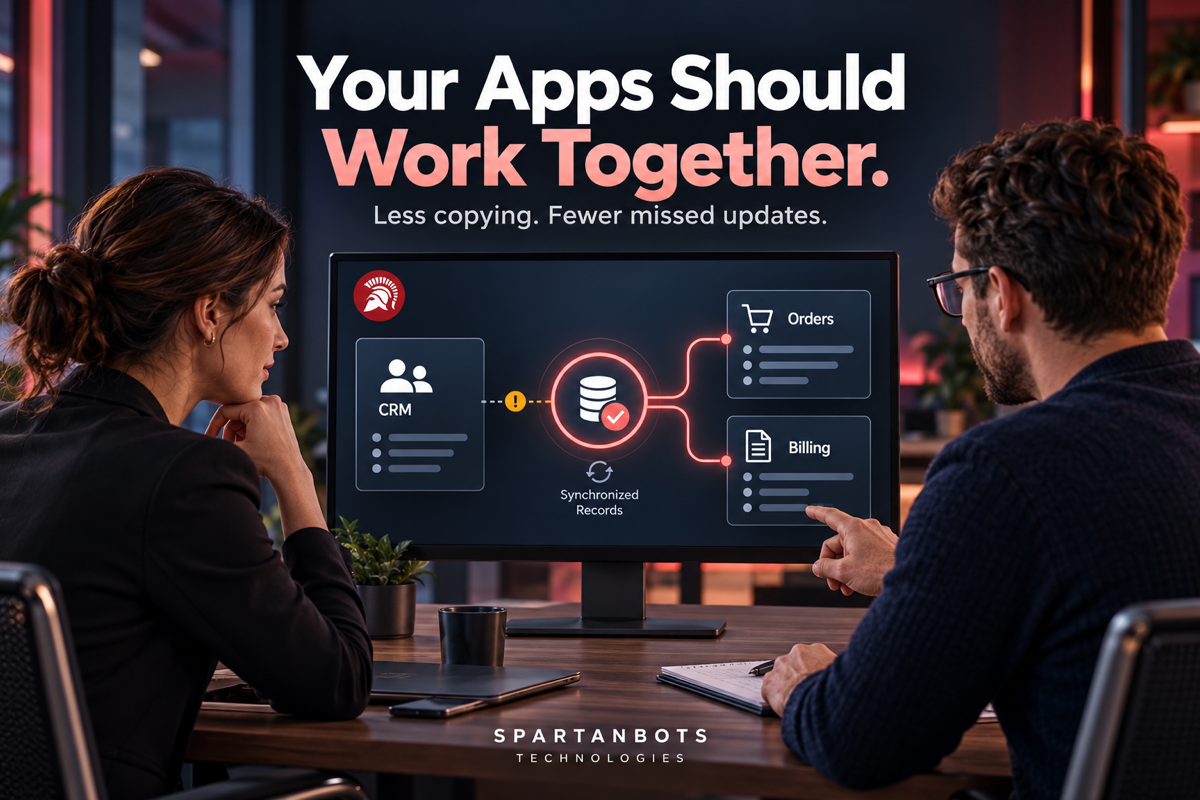
A customer signs a proposal. Your sales team updates the CRM, operations creates a project, and finance prepares an invoice. Each person enters the same customer name, contact details, and agreed price into a different application. By the afternoon, one record has the wrong address and another still shows the original quote. Nobody chose bad software. The tools simply do not share the information your team needs.
This kind of repeated work can become so familiar that nobody questions it. People build routines around exporting files, checking messages, and updating records. Business software integration offers a way to connect those steps. Before adding another application or replacing an existing one, it is worth asking whether the real problem lies in the gaps between them.
Key Takeaways
- Good applications can still create a fragmented business process.
- Start with one recurring handoff that causes delays or mistakes.
- Decide which system owns each important piece of information.
- Plan for duplicates, failed updates, and changes made in both tools.
- Measure completed work and corrections, not just successful connections.
Find the Handoff That Keeps Breaking
An integration project should begin with a business task. Perhaps confirmed orders do not reach fulfilment quickly enough. Maybe account managers cannot see whether invoices have been paid. Or your team downloads customer information every Friday to prepare a report. These are specific problems with identifiable users, steps, and consequences. They provide a better starting point than a broad request to connect every tool.
Follow one example through the process and record what happens. Who enters the information first? Where is it copied? Who checks it, and what happens when it is missing? This exercise often reveals that only a small part of the workflow needs attention. Connecting a confirmed sale to project creation may solve the immediate problem without requiring a complete connection between every field in both applications.
Decide Where the Correct Information Lives
Connecting applications creates an important question: which one should be trusted when their records disagree? A customer might update their email through a portal while an employee changes it in the CRM. If both applications overwrite each other without clear rules, an integration can spread confusion faster than a manual process.
Choose an owner for each important type of information. Your billing platform might own invoice status, while the CRM owns sales contacts. Other tools can display or use that information without becoming its primary source. You also need a reliable way to match records. Names alone are often insufficient because people share names, businesses change them, and spelling varies. A consistent record identifier helps the connection recognise the same customer across systems.
| Repeated business task | Possible integration | Decision to make first |
|---|---|---|
| Copying a confirmed sale into a project tool | Create a project after the sale reaches an agreed stage | What makes a sale ready for delivery? |
| Checking payment status manually | Share invoice updates with the customer account | Which billing status should staff see? |
| Entering website enquiries into a CRM | Create or update a contact from a submitted form | How will existing contacts be recognised? |
| Updating stock in several places | Share inventory changes between approved systems | Which system owns available stock? |
| Preparing a weekly activity report | Collect selected records into a reporting view | Which definitions and dates should the report use? |
Use the Simplest Connection That Fits
Some applications already provide a supported integration for the task you need. Others can connect through an automation platform, while more specific requirements may need custom development. The right choice depends on what information must move, how often it changes, and what should happen when the connection fails. A simple contact update and a complex order fulfilment process do not need the same approach.
An API is one common way for applications to exchange information through defined requests. Some tools also send notifications when an event happens, such as an invoice being paid. Before choosing a solution, check that the applications expose the required information and actions. A developer cannot reliably connect a workflow simply because both products advertise that they have an API. The available access, limits, and behaviour need to support your actual process.
An Illustrative Example: From Signed Deal to Active Project
Imagine a small consulting company that uses separate tools for sales, project management, and billing. After a deal closes, an account manager copies the customer details into a project template and asks finance to prepare the first invoice. If they are busy or away, the handoff waits. Delivery staff may start with an old scope because the final agreement remains attached to the sales record.
A focused integration could create a draft project when the deal reaches an approved stage. It could include the agreed scope, customer reference, and responsible account manager, then notify the delivery team for review. Billing could remain a separate approval step if that fits the company’s process. This hypothetical example shows why useful integration does not require removing human decisions. It can move the information and leave the right decisions with the right people.
Engineering note: Applications may send the same event more than once, and requests can fail after part of a task has completed. Use stable record identifiers, record what has already happened, and make retries safe. Receiving the same confirmed-sale event twice should not create two customer projects.
Make Failures Visible and Recoverable
Even a well-built integration will encounter expired access, unavailable services, missing fields, or unexpected information. The important question is whether the team can detect the problem and recover. A connection that quietly stops working can leave staff believing that records are current when they are not. Build a clear way to identify failed updates and decide who is responsible for reviewing them.
Error messages should explain enough to support action. “Customer could not be created because the required company field is missing” is more useful than an unexplained failure code. Some issues can be retried automatically, while others need a person to correct the information. Keep sensitive details out of routine logs and give the connection only the access it needs. Include maintenance responsibilities in the plan because connected products and business processes can change.
Start Small and Check the Outcome
Choose a limited workflow and test it with realistic examples before making it part of daily operations. Include existing customers, duplicate submissions, incomplete records, and interrupted updates. Ask the people responsible for the task to confirm that the information arrives in the right place and means what they expect. Technical success alone does not prove that the handoff is useful.
Once the connection is running, compare the process with how it worked before. Look at repeated entry, corrections, time spent checking updates, and unresolved failures. These observations help you decide whether to expand the integration or adjust its rules. A small connection that reliably removes a recurring problem is a strong foundation for improving the next part of the workflow.
How SpartanBots Technologies Can Help
SpartanBots Technologies develops APIs, custom applications, and integrations that connect business workflows. The work starts by understanding how information moves and where the process becomes difficult. From there, the solution can focus on the right connections, reliable data handling, and clear ways to manage exceptions.
If your team spends too much time moving information between tools, start with the handoff they repeat most often.
Discuss your integration project with SpartanBots Technologies.
Frequently Asked Questions
Do we need to replace our existing software?
Often, no. If your current tools support suitable connections, integration may help them work together. Review their capabilities before committing to a replacement.
Can an automation platform handle the integration?
It may be suitable for straightforward workflows. More complex rules, unusual data structures, or detailed recovery requirements can justify custom development. Assess the task before choosing the tool.
Does information need to update instantly?
Not always. Some workflows need prompt updates, while others can run on a schedule. Choose the timing based on business needs and the capabilities of the connected applications.
Gaurav Tripathi
Gaurav is the founder of SpartanBots Technologies and a full-stack developer. He helps businesses turn ideas into practical software, from SaaS platforms and marketplaces to web, mobile, and AI solutions. He writes about product planning and the technical decisions behind building better software that solves real problems for growing businesses. He brings a hands-on perspective to the challenges teams face as their products grow.